E-8305 "Unsupported File Format" on CDJs explained
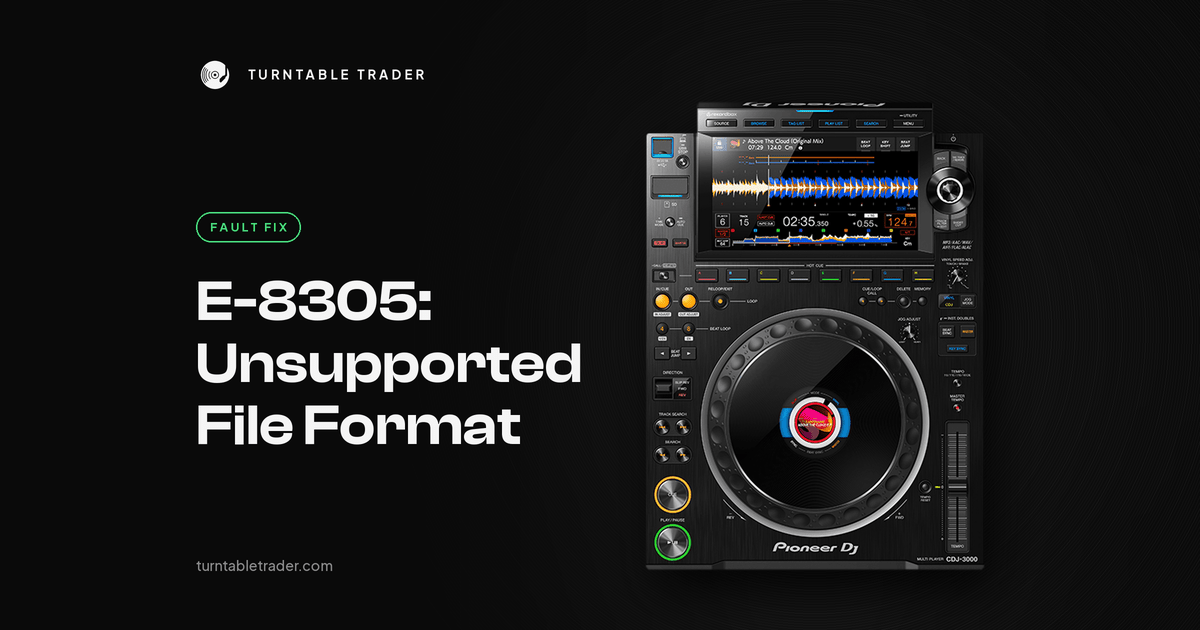
You load a track, the deck thinks for a second, and then: E-8305 UNSUPPORTED FILE FORMAT. The track plays perfectly in rekordbox on your laptop. Half the playlist loads fine. And it is always that one Bandcamp WAV you were saving for the peak.
Here is the reassuring part. E-8305 is about the file, not the deck. Pioneer's manuals describe it as a file format the unit does not support, so treat it as a file problem unless every format fails from every stick. This guide explains what the code means, why some WAVs trigger it, and how to fix your files so they load on any player.
Quick fix
- Check whether it is one or two tracks or everything. One or two means it is those files.
- Re-save the problem track as AIFF or WAV, 16 or 24 bit, 44.1 or 48 kHz.
- If you bought it on Bandcamp, download it again as AIFF or 320 MP3 instead of WAV.
- Check it is not an Apple Music protected file ending in .m4p.
- Add the new file to rekordbox, analyse it, and export to your stick again.
- Update the deck's firmware if it is behind.
What E-8305 actually means
The wording depends on the generation of player. On the original CDJ-2000, CDJ-900, CDJ-850 and CDJ-350 the manuals call E-8305 a DATA FORMAT ERROR: the file format is wrong or not supported. On later players, from the CDJ-2000NXS and XDJ-1000 through to the CDJ-2000NXS2, XDJ-1000MK2, CDJ-3000 and CDJ-3000X, it reads UNSUPPORTED FILE FORMAT. The all-in-one manuals (XDJ-RX, RX2, RX3, XDJ-XZ, XDJ-RR, Opus Quad, XDJ-AZ, Omnis Duo) list E-8304 and E-8305 together under the same message.
Its close relative E-8304 is described in the service manuals as a decoding error: the player recognised the file but could not decode it. E-8305 means the format itself is not supported. In practice the fix for both is the same: give the deck a clean, standard file.
Cause 1: the format is not supported on that model
Not every player plays every format. The rekordbox FAQ breaks it down like this:
- CDJ-3000X, CDJ-3000, CDJ-TOUR1, CDJ-2000NXS2, Opus Quad, XDJ-AZ: FLAC, Apple Lossless, WAV and AIFF up to 96 kHz, plus MP3 and AAC.
- CDJ-1500X, XDJ-1000MK2, Omnis Duo, XDJ-AN: FLAC, Apple Lossless, WAV and AIFF at 44.1 or 48 kHz only.
- XDJ-XZ, XDJ-RX3: FLAC but not Apple Lossless, at 44.1 or 48 kHz.
- Everything older (including the CDJ-2000, CDJ-2000NXS, CDJ-900NXS, XDJ-1000, XDJ-700, XDJ-RX and XDJ-RX2): MP3, AAC, WAV and AIFF at 44.1 or 48 kHz. No FLAC or Apple Lossless.
So a FLAC stick that plays on CDJ-3000s will throw errors on a pair of CDJ-2000NXS. A 96 kHz WAV will play on an NXS2 but not on an XDJ-1000MK2. Even on a model that supports a format, the manuals note that some files will not play, so a single odd FLAC on an XDJ-AZ is still worth converting.
Discs are stricter again. The CDJ-2000NXS2 instructions say FLAC, Apple Lossless and 88.2 or 96 kHz WAV or AIFF files cannot be played from a CD or DVD, only from USB or SD.
Cause 2: the WAV header (the Bandcamp problem)
This is the one that confuses people, because the file is a WAV and the deck supports WAV. DJs on Reddit agree, across several threads, that some WAVs from Bandcamp and some DAW exports carry a header flagged as WAVE_FORMAT_EXTENSIBLE rather than plain PCM. In plain terms, a stereo file describes itself in a way older players do not understand. The audio is fine. The label on the front is the problem.
It explains why some tracks from the same shop work and others do not. One DJ found their 16 bit, 44.1 kHz Bandcamp WAVs played on the CDJ-2000NXS players at a rehearsal studio, while the 24 bit, 48 kHz ones did not, and the same tracks were fine on a CDJ-3000.
The fixes DJs report working:
- Re-save the file. Open it in Audacity, Ableton or another DAW and export it again as WAV or AIFF, 16 or 24 bit, 44.1 or 48 kHz. DJs in several threads say this fixed it for them.
- Use AIFF. Several DJs on Reddit switched to AIFF to avoid this altogether. It is also lossless and carries artwork and tags.
- Download again in another format. Bandcamp offers AIFF and 320 MP3 as well as WAV.
- Header fix tools. There are small free tools that rewrite only the WAV header, without re-encoding the audio. One DJ whose XDJ-1000MK2 refused most of their Bandcamp WAVs ran two tracks through one and said it worked like a charm. Work on copies and keep your originals.
Cause 3: bit depth and sample rate
Bit rate (the kbps number rekordbox shows) is not the issue. Bit depth and sample rate are. Players read 16 or 24 bit audio. A 32 bit float WAV can fail, and DJs on Reddit who had 32 bit files fixed them by exporting at 24 bit from their DAW. Likewise a 96 kHz file will fail on any player limited to 44.1 or 48 kHz.
If you are not sure what a file is, check it in your DAW or audio editor, or just re-save anything suspicious at 24 bit and 44.1 or 48 kHz.
Cause 4: protected files
Apple Music downloads ending in .m4p are copy protected and will not play on the decks. Buy a DRM-free copy as AIFF, WAV or MP3.
Cause 5: old firmware
Some WAV and lossless problems were fixed in firmware, so check the version in the deck's UTILITY menu before converting a big batch:
- XDJ-RR and XDJ-RX2: the April 2024 firmware fixed some WAV files not playing.
- XDJ-XZ: version 1.23 fixed some WAV files not playing.
- CDJ-2000NXS2 1.85, XDJ-1000MK2 1.42 and CDJ-TOUR1 1.57 fixed some Apple Lossless files not playing.
- CDJ-2000 and CDJ-2000NXS: later firmware fixed some WAVs with unusual headers sitting on Loading forever.
On a club's decks, tell the venue rather than updating them yourself.
If it still will not load
- Look for odd symbols in the track title or file name. One DJ found hidden characters that only showed up on Windows; removing them and re-adding the tracks to rekordbox fixed it, though they later weren't sure the code had been E-8305 rather than E-8306. Rehearsal studio troubleshooting notes also list unsupported characters in file names as a cause of this group of errors.
- If it fails on one deck but plays on another of the same model, compare firmware versions.
- Format the stick as FAT32 and export again.
- Keep a backup stick with 320 MP3 copies of tracks that keep causing trouble. Some DJs on Reddit carry one.
When it is a repair
Very rarely. Treat the deck as suspect only if every format fails, including MP3s that play on other decks, from several freshly exported sticks. At that point we would check the firmware and the media side of the player. Any repair is subject to diagnosis and parts availability. Our diagnostic is £30, deducted if you go ahead with the repair, and we will quote once we have looked at it. You can book a repair or service here.
What to send us
A photo of the error on screen, the file name and type, where you bought it, and the deck model. Tell us whether other tracks on the same stick play.
FAQ
Why do some WAV files not play on CDJs?
Usually the WAV header, especially on some Bandcamp downloads, or a bit depth or sample rate the player does not support. Re-saving the file as a standard 16 or 24 bit WAV or AIFF at 44.1 or 48 kHz fixes it.
What is the best file format for CDJs?
For playing on any player, 16 or 24 bit AIFF or WAV at 44.1 or 48 kHz, or 320 MP3. Those sit inside the supported list for every model in the rekordbox FAQ.
Will I lose my cue points if I convert a track?
Cue points live in your rekordbox library, not in the audio file. They are tied to that particular file, so if rekordbox sees the converted file as a new track, you will need to set cues again. Try one track before converting a big batch.
Do CDJ-2000NXS2s play FLAC?
Yes, from USB or SD, up to 96 kHz, though some files can still fail. Not from a CD. The original CDJ-2000 and the CDJ-2000NXS do not play FLAC at all.
Is E-8305 a fault with my CDJ?
Almost never. If other tracks on the same stick play, it is the file.
Shopping for decks?
If you are tired of converting files for older players, newer models play more formats out of the box. Browse our used Pioneer CDJs and used XDJs, or read CDJ-2000NXS2 vs CDJ-3000.
More from the blog

Needle skipping on your Technics: cartridge, weight and anti-skate set up properly
Needle skipping on a Technics is nearly always setup: stylus, level, tracking weight, anti-skate or arm height. Here's...

CDJ 2000 vs Nexus vs NXS2: which used CDJ 2000 should you buy?
Three generations share the CDJ 2000 name. What changed from the original to the Nexus to the NXS2,...

Where to sell DJ equipment in the UK: an honest comparison
eBay, Reverb, Facebook Marketplace, high street buy-back shops or a specialist buyer: where to sell used CDJs, mixers,...