What is a DJ mixer and how does it work? Our full guide
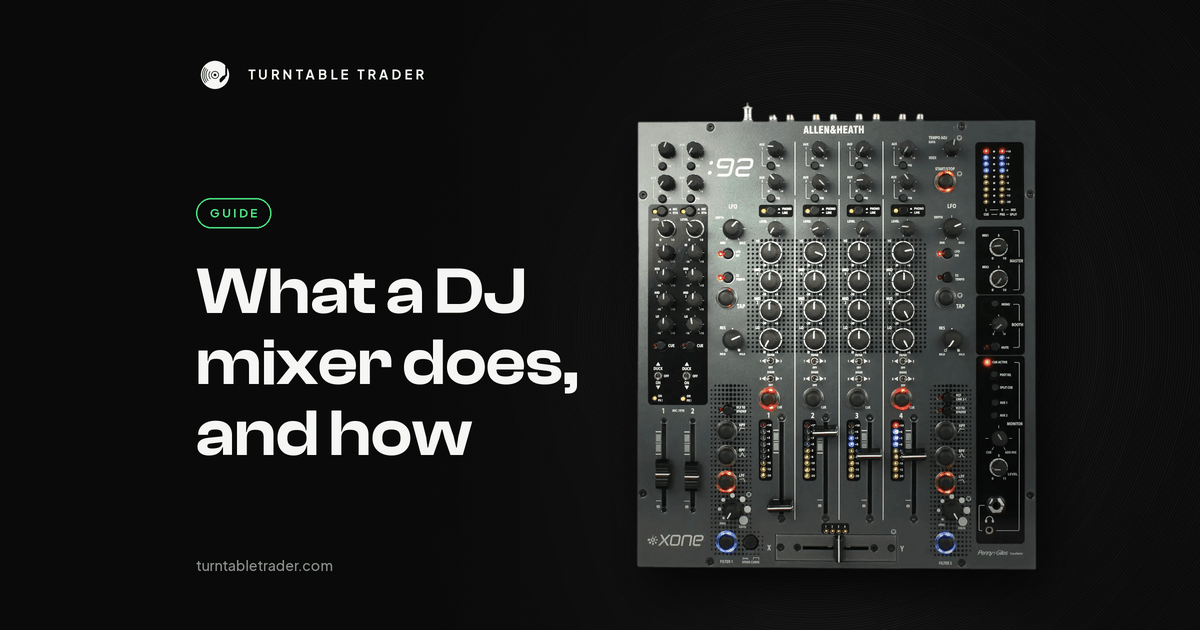
A DJ mixer sits between your decks and your speakers. It lets you hear the next track in your headphones before anyone else does, match its level and EQ to what is playing, and bring it in smoothly. This guide covers what the controls do, the main types of mixer, and the used models we see most on our bench in Battersea.
1. What a DJ mixer does
- Blends two or more tracks
- Sets the gain, bass, mids and treble for each channel
- Lets you cue tracks in your headphones before the crowd hears them
- Adds effects such as echo, reverb and filters
- Moves between songs with the channel faders or the crossfader
Without a mixer, DJing would just be pressing play on one deck after another.
Tip: if you are starting out, you can practise on a controller with a built-in mixer section before buying a standalone mixer. Our CDJ vs controller guide explains the trade-offs.
2. Types of DJ mixer
2 channel mixers
Good for beginners and two deck setups. You mix between two sources at a time, which is all you need to learn the basics. Examples: the Pioneer DJM-250MK2 and the Pioneer DJM-450.
4 channel mixers
For DJs who want to run more sources, layer tracks or practise on a club-style layout at home. Examples: the Pioneer DJM-750MK2 and the Pioneer DJM-750.
Club mixers
The mixers you find in most club booths, with more effects, more routing and better sound. Examples: the Pioneer DJM-900NXS2, the long-running club standard; the Pioneer DJM-A9, its successor; and the Allen & Heath Xone:92 and Xone:96, analogue mixers favoured by many house and techno DJs.
3. Key features to look for
- Number of channels: 2 is fine for beginners; 4 is standard in clubs.
- EQ: look for a 3 band EQ (low, mid and high) on every channel.
- Effects: filters, delays, echo and reverb add creative options.
- Cueing: lets you listen to the next track in your headphones before it goes out live.
- Faders: smooth, quiet faders matter for clean transitions. Worn faders crackle, and fader replacement is one of the jobs we do most on our bench.
- Connections: outputs for your speakers, RCA inputs for your decks, and USB for software.
- Software: some mixers work directly with rekordbox, Serato or Traktor.
Tip: if you plan to play in clubs, practise on the layout you will meet there, such as the DJM-900NXS2 or DJM-A9.
4. Mixer layout basics
- Channels: vertical strips, one per source, each with a gain knob, EQ, cue button and channel fader.
- Crossfader: the horizontal fader that moves between channels.
- EQ knobs: low, mid and high for each channel.
- Effects section: filters, delays, echo and other effects.
- Master level: controls the output to your speakers.
- Headphone cue: lets you pre-listen to a channel.
5. Standalone mixers vs controllers
- Controller mixer sections are built into DJ controllers. Great for beginners and home setups.
- Standalone mixers are separate units, used with CDJs, turntables or other players.
Tip: a standalone mixer lasts. You can upgrade your decks later and keep the same mixer.
6. Buying a used mixer
Used is where the value is with DJ mixers. Prices move with condition and demand, so rather than print figures that go out of date here, we keep them in our price guides: DJM 900 Nexus, DJM 900NXS2 and DJM 800 prices and DJM A9 and DJM V10 prices. Our used DJ mixer buying guide covers what to check before you pay.
- Starting out: Pioneer DJM-250MK2 or DJM-450, two channels and simple to learn.
- Four channels on a budget: Pioneer DJM-750MK2 or DJM-750.
- Club standard: Pioneer DJM-900NXS2 or DJM-A9.
- Analogue sound: Allen & Heath Xone:92 or Xone:96.
Every mixer we sell is deep cleaned, serviced and bench-tested before it goes on sale, then graded honestly. Want to see the exact unit you'll get? Message us on WhatsApp and we'll send real pictures.
7. Final tips for choosing your mixer
- Match your gear: if you have CDJs or an XDJ system, pick a mixer that suits the layout.
- Think long term: a reliable mixer will last you years.
- Feel matters: how the faders and knobs feel matters more than the spec sheet.
- Software: check it works with rekordbox, Serato or Traktor if you need it to.
Related guides and gear
More from the blog

Crackles and dropouts when DJing from a laptop: how to fix them
Random crackles and dropouts when DJing from a laptop are nearly always the computer struggling to feed audio...

Needle skipping on your Technics: cartridge, weight and anti-skate set up properly
Needle skipping on a Technics is nearly always setup: stylus, level, tracking weight, anti-skate or arm height. Here's...

CDJ 2000 vs Nexus vs NXS2: which used CDJ 2000 should you buy?
Three generations share the CDJ 2000 name. What changed from the original to the Nexus to the NXS2,...