
Buying a used CDJ: checks before you pay
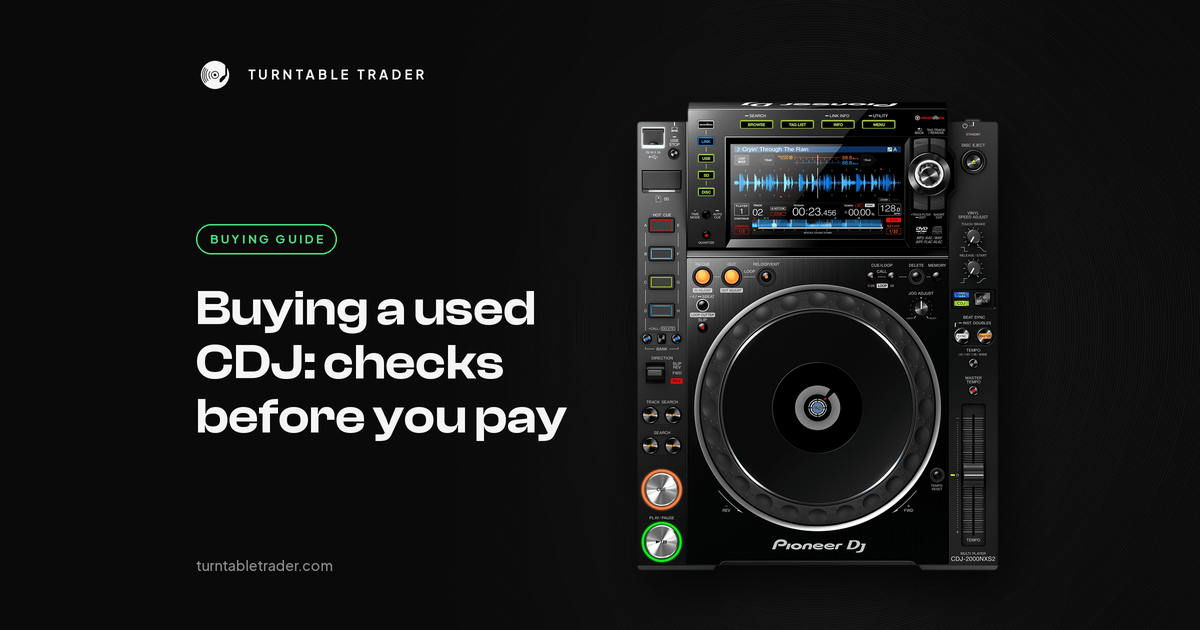
You've found a used CDJ at a good price, and you're about to hand over the money. The listing says "fully working", the photos look clean, and the seller seems nice. But CDJs are worked hard, and many of the faults we see are things you can spot before you pay, if you know what to press.
This is the checklist we'd want a friend to run before paying. It's built from the faults that actually come through our workshop and from what DJs report online.
Quick checklist
- See it working in person, or on a live video call, before you pay.
- Bring your own rekordbox USB stick and a pair of headphones.
- Check the firmware version in UTILITY, and note the serial number.
- Test both USB ports (and SD slot or disc drive if it has one).
- Test the jog in VINYL and CDJ mode, every button, and the tempo fader end to end.
- Check the screen, the link port and the audio outputs.
- Let it play for a while, not just for one track.
Before you go: the seller and the listing
DJs on Reddit regularly warn about deals that are too good to be true. Common patterns include a "free" unit where you only pay the shipping, a cheap listing where the seller turns out to be in another part of the country as soon as you ask to see it, and photos lifted from someone else's sale. A reverse image search on the listing photos takes a minute.
Ask the seller up front:
- Can you see it powered on and playing music, ideally at their place or on a live video call?
- Has it been repaired or opened before, and by whom?
- Has it been in a club, a hire fleet or just at home?
- Does it come with a mains lead? Most CDJs take a standard kettle style lead, so if it's missing, bring one you know works.
Step 1: Power on and look at the basics
Switch it on with nothing plugged in. It should boot to its normal screen without stopping on the logo, and without any E- error code. If an error code shows up, photograph it. Codes like E-8709 or E-7022 at start-up point to internal faults, not settings.
Then open UTILITY and check:
- Firmware version. Note it down. Old firmware isn't a fault, but it's worth knowing.
- Serial number. Note it from the label on the back. On a CDJ-3000, Pioneer issued a notice that units with serials starting DH, DI, DJ or DK, without a green sticker next to the serial label, could have no audio, screen blackouts or freezes, fixed by updating the firmware. Check it has been updated.
Step 2: USB, SD and discs
Bring your own stick, exported from rekordbox, so you know the stick isn't the problem. Make sure it's in a format that model reads: the CDJ-2000, CDJ-2000NXS, CDJ-2000NXS2, XDJ-1000 and XDJ-700 want FAT32 or Mac OS Extended, not exFAT.
- Load and play a track from each USB port.
- Gently wiggle the stick while it plays. If it cuts out, or only reads at an angle, the socket is worn.
- If it has an SD slot, test that too.
- If it has a disc drive and you play CDs, bring a shop-bought CD. If a pressed CD won't play, the laser or drive is worn. On older decks, a replacement drive can cost more than the deck is worth.
Step 3: The jog wheel
Jog faults are among the most common faults we see. Test it properly:
- Press JOG MODE until VINYL is lit. Touch the top: the track should stop, and turning it should scratch smoothly in both directions.
- Switch to CDJ mode. The track should now play normally with your hand resting on top. If it only plays with VINYL mode off, or drags in VINYL mode, the touch sensor under the platter needs a look.
- Nudge the outer edge with a proper spin to bend the pitch.
- Turn it slowly all the way round and feel for catching, grinding, rocking or rattling.
- Turn the jog adjust or tension knob through its range and compare with the other deck.
- Check the display or light in the centre of the jog works.
Heat damages jogs too. Jogs on newer models like the CDJ-3000 can warp and stick after hours of direct sun, so ask where it has been kept.
Step 4: Buttons
Press every button, in the middle and at the edges. Play and Cue take the most abuse, and several owners on Reddit say Play and Cue buttons are a weak spot on CDJs. Signs of a worn switch:
- It only works when pressed hard or on one edge.
- It sticks, feels crunchy, or has no click.
- It fires twice from one press.
- A group of buttons died together, which can mean a spilled drink.
Before blaming a button, check it isn't a setting. If CUE does nothing, pause the track and press CUE once to set a point, and check AUTO CUE is on. If hot cues feel late, QUANTIZE is waiting for the beat. Worn Play and Cue switches are a common wear part, and our Play/Cue switch replacement is £30, subject to parts.
Step 5: Tempo fader
- Turn SYNC off first. With SYNC on, the fader is ignored until you move it to where the tempo really is.
- Move the fader slowly from one end to the other and watch the % figure. It should change smoothly with no jumps or dead patches.
- At the centre click it should read 0.0.
- Leave it alone for a minute. The % should not move by itself.
A BPM that wanders while the % stays still is the track's beatgrid, not the deck.
Step 6: Screen and touch screen
Check the screen is bright, with no lines, flickering or freezing. On touch screen models, touch every area, including the corners. If touch is off, run TOUCH DISPLAY CALIBRATION in UTILITY first. Dead touch after calibration is a hardware fault.
Step 7: Link and audio outputs
- If you'll link it to other decks, plug a LAN cable into the LINK socket. It should click in firmly, and the socket shouldn't feel loose.
- Plug the audio outputs into a mixer and listen to both channels. Wiggle the leads gently at the socket. Sound that comes and goes as you wiggle the lead points to a worn socket or lead.
- Check the headphones too, if you're testing a model with a headphone socket.
Step 8: Let it play
Some faults only show up once a deck is warm: Emergency Loop, reboots, or a deck that cuts out after a while. These are the faults that need a long soak test to show up. If you can, let it play for a decent stretch while you talk, and watch for it dropping into a loop or going back to the loading screen.
Model notes
CDJ-2000 (original)
The oldest of the 2000 family. Its link with newer players is basic sharing only. Watch for E-8709 at start-up, which we treat as a board-level fault on this model.
CDJ-2000NXS
Still a solid player, but it only has three hot cues (A to C), no beat jump, and no FLAC support. DJs on Reddit point these out as the main limits compared with the NXS2 and later. Play and Cue faults are common on this model in our workshop.
CDJ-2000NXS2
Plays FLAC and ALAC from USB and SD, up to 96 kHz/24-bit, but not from disc. Test the touch screen and the jog display carefully.
CDJ-3000
Check the serial and firmware as above. It has a cooling fan, so listen for rattling or grinding, which can mean a worn fan.
XDJ-1000MK2
Plays FLAC and ALAC, up to 48 kHz/24-bit. Test the touch screen and the Play and Cue buttons.
When it's a repair (or a walk away)
Price these in, or walk away:
- An error code at start-up with nothing plugged in.
- One USB port that refuses every stick.
- A jog that does nothing in any mode, drags, or catches.
- A tempo fader that jumps or reads nothing.
- A screen with no picture, or a touch screen that doesn't respond after calibration.
- Signs of a spill: sticky buttons or a group of dead ones.
Some of these are quick jobs and some aren't. We can't tell you a price from a listing photo. If you've already bought a deck and something's off, a diagnostic is £30, deducted if you go ahead, and a health check is £30. Jog fixes start from £60, and a Full Service and Deep Clean starts from £60. Everything is subject to diagnosis and parts availability. See our repair and service options.
What to send us
If you've bought a used CDJ and want a second opinion, send us:
- A video of the fault, filmed on your phone.
- A photo of any error code, with the E and all the numbers.
- The model and the firmware version from UTILITY.
Or skip the risk
Every deck we sell is graded. Our condition grading explains what each grade means, and our warranty gives you 6 months on Premium grade and 3 months on other grades.
FAQ
What should I check when buying a used CDJ?
Power on with nothing plugged in and look for error codes, then test the USB ports, jog wheel, every button, the tempo fader, the screen, the LINK socket and the audio outputs, and let it play for a while.
Is a used CDJ-2000NXS still worth buying?
It can be, if it tests well and the price is right. Know its limits first: three hot cues, no beat jump and no FLAC.
Are worn Play and Cue buttons a big problem?
Usually not. They're a common wear part. Our Play/Cue switch replacement is £30, subject to parts.
Should I buy a CDJ without seeing it working?
We wouldn't. At the very least ask for a live video call where the seller plays a track and works through the checks above.
Want a used CDJ without the guesswork? Browse our used Pioneer CDJs, or message us with the listing you're looking at and we'll tell you what to check.
More from the blog

Crackles and dropouts when DJing from a laptop: how to fix them
Random crackles and dropouts when DJing from a laptop are nearly always the computer struggling to feed audio...

Needle skipping on your Technics: cartridge, weight and anti-skate set up properly
Needle skipping on a Technics is nearly always setup: stylus, level, tracking weight, anti-skate or arm height. Here's...

CDJ 2000 vs Nexus vs NXS2: which used CDJ 2000 should you buy?
Three generations share the CDJ 2000 name. What changed from the original to the Nexus to the NXS2,...