
No sound from one deck: a checklist before you panic
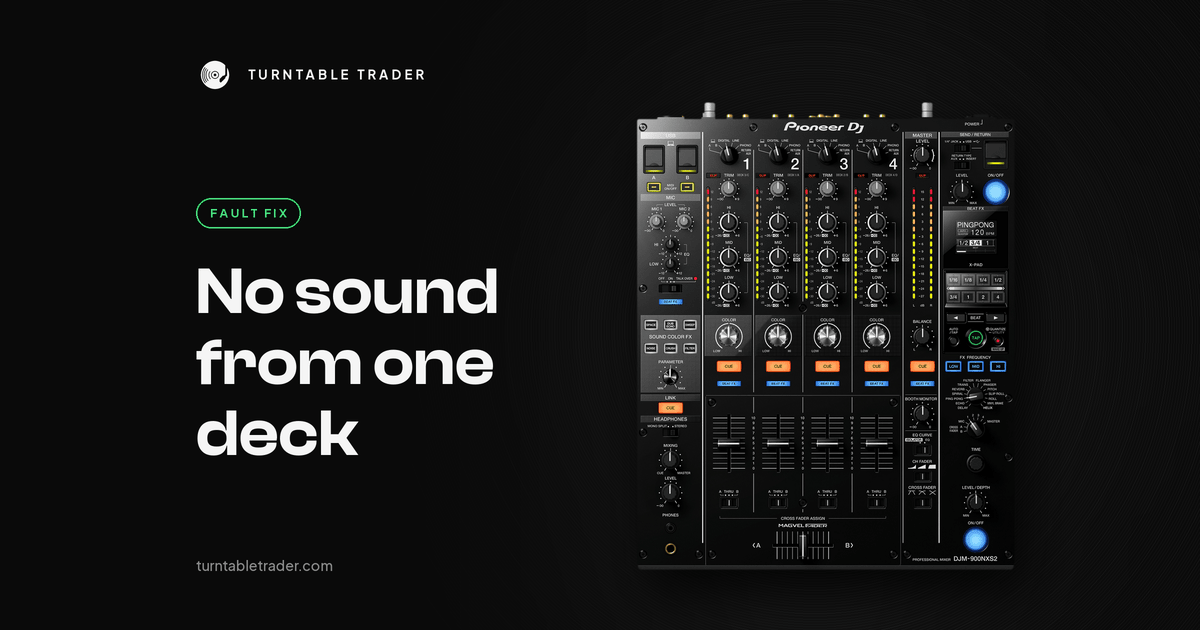
Two decks, one mixer, and one side has gone silent. The track is loaded, the waveform is moving, maybe the meter is even bouncing, but nothing comes out. Before you start pricing up a new mixer, take a breath. When one channel goes quiet and the others work, it's almost always a switch, a lead or a fader position.
We get messages about this regularly, and plenty are sorted with one photo of the mixer. This checklist starts with the settings that catch people out, then the swap test that tells you where the fault really is.
Quick fix
- Check that channel's input selector matches what's plugged in: deck, USB/PC, LINE, PHONO or DIGITAL.
- Turn up that channel's TRIM and fader, and watch its meter while the track plays.
- Set the channel's crossfader assign to THRU, or centre the crossfader.
- Check the tempo fader isn't at minus 100 percent on WIDE range. That stops the track dead.
- Turn the channel's filter or Color FX knob back to 12 o'clock and switch effects off.
- Swap the lead to a working channel. If the silence follows the lead or player, the mixer is fine.
1. The input selector
This is the big one. Every channel on a DJ mixer has a selector that picks which socket it listens to. If the player is plugged into LINE but the selector is on PHONO, DIGITAL or USB, the channel is silent. Pioneer's own troubleshooting for the DJM-900NXS2 starts with exactly this question: is the input selector set to the proper position?
- CDJ on RCA leads: the channel goes on LINE (on some mixers, CD).
- CDJ on the digital coax lead: it goes into the mixer's DIGITAL IN, and the channel goes on DIGITAL.
- Turntable: PHONO. A turntable on a LINE input is very quiet and thin.
- Laptop: the USB or PC position. On mixers with two USB ports, pick A or B to match the port you're using.
Some mixers also have a small switch on the back. In one case we dealt with, channel 1 on a DJM was silent with an XDJ-700 plugged in. The photo showed the rear CD/DIGITAL switch in the wrong position. If your mixer has one, set it to CD when the player is on RCA leads.
2. Levels, faders and the crossfader
Play a track and watch the channel meter as you turn up TRIM. If the meter moves, sound is reaching the mixer. Then check:
- The channel fader is up.
- The crossfader isn't sitting fully on the other side. On club mixers each channel has a CROSSFADER ASSIGN switch (A, THRU, B). If a channel is on A and the crossfader is fully over to B, that channel is silent. Set it to THRU to test.
- The filter or Color FX knob on that channel is back at 12 o'clock. Turned fully, a filter can cut almost everything. It has caught out DJs on Reddit too.
- Effects are switched off.
3. Is the track actually playing?
This sounds obvious, but it catches people out. In rekordbox with a controller, if the tempo range is set to WIDE and the tempo fader is at the bottom, the deck is at minus 100 percent and the track simply doesn't move. Two separate rekordbox users on Reddit, one with a DDJ-FLX4, thought a deck had died. Both found the tempo fader pulled all the way down on WIDE. Slide it back to the middle, or change the range.
4. The swap test
This is the most useful five minutes you can spend. Swap things one at a time and see whether the silence moves.
- Move the silent player's lead to a channel that works.
- If the silence follows the player or lead, the mixer channel is fine. Swap the lead next. If a new lead doesn't help, the player is the problem.
- If the silence stays on the same mixer channel whatever you plug in, with the selector set correctly, the mixer channel is the problem.
A Xone:92 owner on Reddit used exactly this test. The fault stayed on one channel with both turntables, and the other channels were fine with both, which pointed straight at that mixer input.
Got a CDJ with a digital output? Try its DIGITAL OUT into the mixer's DIGITAL IN, with the channel on DIGITAL. One CDJ-2000NXS owner on Reddit had lost one side on one player, tried this, and got the sound back. It's a good workaround for a gig, and it proves the player's analogue output is the problem.
5. Laptop decks
If the silent deck is coming from a laptop:
- Check the channel's selector is on USB/PC.
- In your DJ software, check the output routing for that channel and that your controller or mixer is selected as the audio device.
- On the DDJ-FLX10, the USB A/B switch above each TRIM must match the USB port your laptop uses, or that deck goes silent. One FLX10 owner on Reddit had every channel on A except channel 1, which was on B.
6. Firmware and reset
Update the mixer or controller firmware, then power everything off and back on. If you bought it second hand, reset the unit's settings to factory defaults, in case a previous owner changed something.
Model notes
XDJ-RX3 and XDJ-XZ
The channel input selector must be on DECK 1 or DECK 2 for the built-in decks. On LINE or PHONO, the built-in deck is silent even though the waveform moves. On the XDJ-XZ, channels 3 and 4 are for external players, turntables or rekordbox in four-deck mode, not USB stick playback.
DDJ-FLX6
No sound from deck 4? Set the DECK4/SAMPLER switch to DECK4.
DDJ-REV7 and DDJ-FLX10
For players or turntables on the rear CH1 and CH2 inputs, set the rear LINE/PHONO switch to match (PHONO for turntables, LINE for players) and set the top input selector to that external position, not the computer.
DJM-900NXS2, DJM-A9, DJM-V10
A player on the digital coax lead needs that channel on DIGITAL. On RCA leads, set it to LINE. On the DJM-V10, firmware 1.04 fixed a channel sometimes getting no audio, so update if yours is older. Early DJM-900NXS2 firmware had dropouts on the DIGITAL input, fixed in 1.09.
Technics and other turntables
A turntable needs a PHONO input. If one turntable is silent or one side drops out and it follows that turntable to every channel, the phono leads are a likely cause.
When it's a repair
It's time to get it looked at if:
- The same mixer channel stays silent whatever you plug in, with the selector set correctly.
- The meter moves but nothing comes out, or the fader only works in one spot.
- Sound comes back when you wiggle the lead in its socket.
- One player is silent on every channel and every lead, on both analogue and digital outputs.
On the bench we trace the signal through the input socket, trim and fader to find the worn part, then replace it. Worn channel faders are a common cause. Please don't spray anything into a fader to try to bring it back: faders are wear parts, and we replace them rather than spray them. Our diagnostic is £30, deducted if you go ahead with the repair, and we'll quote once we've found the fault. For turntables, new phono and earth cables are £30. Everything is subject to diagnosis and parts availability. Book a repair or service here, or use our courier collection and return for £20 per unit.
What to send us
- A photo of the back panel showing every lead and where it goes.
- A photo of the top showing the input selectors and crossfader assign switches.
- A short video of the silent channel with a track playing while you move TRIM and the fader.
Honestly, the photo of the back can solve these before we ever need to see the mixer.
FAQ
Why is one channel on my mixer not working?
Most often the input selector doesn't match the socket the player is plugged into. Check it, then turn up TRIM and the fader and watch the meter.
Why does my CDJ play but make no sound?
Check the mixer channel it's plugged into is set to LINE for RCA leads or DIGITAL for the coax lead. Then swap it to another channel to see whether the silence follows the CDJ.
Why is one deck silent on my DDJ controller?
Check the channel's input selector is on the computer position, the tempo fader isn't at minus 100 percent on WIDE, and on the FLX10, that the USB A/B switch matches your laptop's port.
How do I know if it's the mixer or the deck?
Swap leads and channels. If the silence moves with the deck, it's the deck or its lead. If it stays on one channel, it's the mixer.
Still silent?
Send us the photos and video and we'll tell you whether it's a setting or a bench job. If it's time for an upgrade, have a look at our used Pioneer DJM mixers, and you can part exchange your old one.
More from the blog

Crackles and dropouts when DJing from a laptop: how to fix them
Random crackles and dropouts when DJing from a laptop are nearly always the computer struggling to feed audio...

Needle skipping on your Technics: cartridge, weight and anti-skate set up properly
Needle skipping on a Technics is nearly always setup: stylus, level, tracking weight, anti-skate or arm height. Here's...

CDJ 2000 vs Nexus vs NXS2: which used CDJ 2000 should you buy?
Three generations share the CDJ 2000 name. What changed from the original to the Nexus to the NXS2,...